Warhammer 40,000: Dawn of War
 |
|
| Developers | |
|---|---|
| Relic Entertainment | |
| GOG.com | General Arcade[1] |
| Publishers | |
| 2004-2013 | THQ |
| 2013-present | Sega |
| Release dates | |
| Windows | September 20, 2004 |
| Reception | |
| Metacritic | 86 |
| IGDB | 86 |
| Taxonomy | |
| Monetization | One-time game purchase, Expansion pack |
| Microtransactions | None |
| Modes | Singleplayer, Multiplayer |
| Pacing | Real-time |
| Perspectives | Bird's-eye view |
| Controls | Multiple select, Point and select |
| Genres | RTS |
| Art styles | Stylized |
| Themes | Sci-fi |
| Series | Warhammer 40,000: Dawn of War |
 |
|
Warnings
Warhammer 40,000: Dawn of War is a singleplayer and multiplayer bird's-eye view RTS game in the Warhammer 40,000: Dawn of War series.
The game received a number of patches, as well as the Game of the Year edition with additional maps, which would be the default digital release of the game. On September 21, 2005, the Winter Assault expansion pack was released with two new campaigns, the Imperial Guard playable faction, new winter theater and new multiplayer maps.
The subsequent standalone expansion packs, Dark Crusade and Soulstorm, do not require the base game to play. However, in order to play as the original playable factions in multiplayer, the base game needs to be installed on the same machine (if using retail versions) or owned on the same Steam account. The same is valid for playing the Imperial Guard in those expansions - the Winter Assault needs to be additionally owned.
On May 22, 2014, Dawn of War and its expansions were migrated from GameSpy to Steamworks-based multiplayer servers, but lost LAN functionality in the process.[2] The GOG.com release from May 25, 2023 uses GOG Galaxy for multiplayer, but is not cross-compatible with Steam users.
Modifications and saved games can be used across the fully patched retail, Steam and GOG.com versions.
General information
- Lexicanum - A huge wiki for the Warhammer 40,000 series
- Dawn of War Wiki
- GOG.com Community Discussions for game series
- GOG.com Support Page
- Steam Community Discussions
Availability
| Source | DRM | Notes | Keys | OS |
|---|---|---|---|---|
| Retail | |
SecuROM 5 DRM. Removed as of patch 1.50 retaining only CD key requirement.[3] | |
|
 |
|
Game of the Year Edition. Master Collection also available. | |
|
| GOG.com | |
Master Collection; bundled with Winter Assault, Dark Crusade, and Soulstorm. Base game and Winter Assault distributions differ only in the included executable, making Winter Assault effectively standalone. |
|
|
| Humble Store | |
Game of the Year Edition. Master Collection also available. | |
|
| Steam | |
Game of the Year Edition. Winter Assault files are included, but require a separate purchase to activate. Master Collection also available. |
|
|
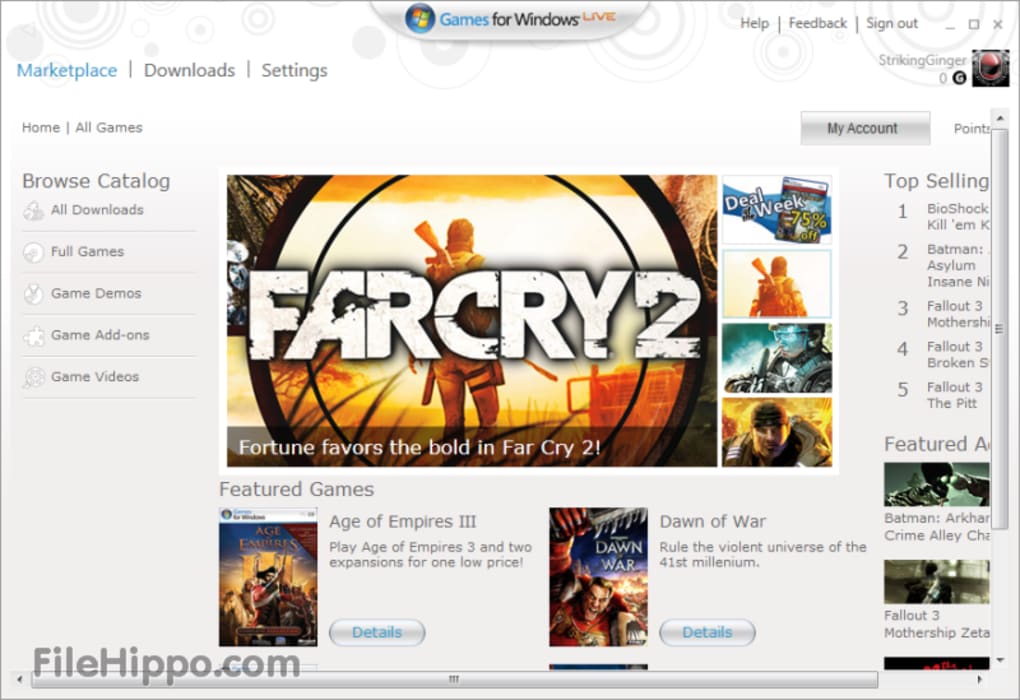
| Games for Windows Marketplace (unavailable) | |
[4] | |
- Owners of retail copies can no longer request a Steam key from SEGA support as of an unknown date prior to March 29th, 2024.[5]
- Free demo versions are available from GameFront: base game, Winter Assault.
Version differences
- The Game of the Year Edition is a re-release of the base game with patch 1.40 pre-applied, and with several exclusive skirmish/multiplayer maps. It is the only version of the base game available digitally.
- The retail-only Gold Edition includes the base game's Game of the Year Edition and the Winter Assault expansion.
- The retail-only Platinum Edition includes the base game's Game of the Year Edition, the Winter Assault expansion, and Dark Crusade fully patched.
Monetization
| Type | Notes |
|---|---|
| Expansion pack | The expansion pack includes a new faction (Imperial Guard), new maps and two new campaigns. |
| One-time game purchase | The game requires an upfront purchase to access. |
DLC and expansion packs
| Name | Notes | |
|---|---|---|
| Winter Assault | |
Essential improvements
Patches
- Patch 1.51 is the latest official patch for the retail version of the game, and requires patches 1.41 and 1.50 to be installed first.
- The Winter Assault disc automatically applies patch 1.41 upon installation. To install this expansion, do so before applying any subsequent patch.
- The Steam and GOG.com versions are on their own separate release equivalent to 1.51 in terms of balance and gameplay - the only difference being Steamworks/Galaxy multiplayer used instead of GameSpy and LAN options.
Skip intro videos
Run the game with the -nomovies command line argument.[6]
|
|---|
Game data
Configuration file(s) location
| System | Location |
|---|---|
| Windows | <path-to-game>\Local.ini[Note 1] |
| Steam Play (Linux) | <SteamLibrary-folder>/steamapps/compatdata/4570/pfx/[Note 2] |
Save game data location
| System | Location |
|---|---|
| Windows | <path-to-game>\Profiles\profile*\[Note 1] |
| Steam Play (Linux) | <SteamLibrary-folder>/steamapps/compatdata/4570/pfx/[Note 2] |
Save game cloud syncing
| System | Native | Notes |
|---|---|---|
| GOG Galaxy | ||
| Steam Cloud |
Video

| Graphics feature | State | WSGF | Notes |
|---|---|---|---|
| Widescreen resolution | Latest retail version dropped hackable support.[citation needed] | ||
| Multi-monitor | |||
| Ultra-widescreen | |||
| 4K Ultra HD | |||
| Field of view (FOV) | |||
| Windowed | Use external graphics settings application, or see Windowed. | ||
| Borderless fullscreen windowed | See the glossary page for potential workarounds. | ||
| Anisotropic filtering (AF) | See the glossary page for potential workarounds. | ||
| Anti-aliasing (AA) | See Anti-aliasing (AA). | ||
| Vertical sync (Vsync) | See Vertical sync (Vsync) to disable it. | ||
| 60 FPS and 120+ FPS | No frame rate caps. | ||
| High dynamic range display (HDR) | See the glossary page for potential alternatives. | ||
Windowed
- Cursor may sometimes be unlocked to the game. Switch tasks to resolve.
| Edit configuration file[6] |
|---|
|
Vertical sync (Vsync)
| Disabling vertical sync (Vsync) in configuration file[6] |
|---|
|
Anti-aliasing (AA)
- Forcing AA via graphics driver will result in greater AA. INI fix is probably only 2x AA.
- Forcing AA will render fonts blurry and harder to read.
| Edit configuration file[6] |
|---|
|
Input

| Keyboard and mouse | State | Notes |
|---|---|---|
| Remapping | See the glossary page for potential workarounds. | |
| Mouse acceleration | ||
| Mouse sensitivity | Scroll rate only. | |
| Mouse input in menus | ||
| Mouse Y-axis inversion | ||
| Controller | ||
| Controller support |
| Controller types |
|---|
Audio

| Audio feature | State | Notes |
|---|---|---|
| Separate volume controls | ||
| Surround sound | ||
| Subtitles | ||
| Closed captions | Cutscenes only. | |
| Mute on focus lost | ||
| Royalty free audio |
Localizations
| Language | UI | Audio | Sub | Notes |
|---|---|---|---|---|
| English | ||||
| French | ||||
| German | ||||
| Hungarian | Fan translation. | |||
| Italian | ||||
| Japanese | Fan translation. Download here. | |||
| Japanese | Fan translation. Download here. | |||
| Korean | Fan translation. Download here. This translation only works for the original Dawn of War game and Winter Assault. | |||
| Polish | Retail only. | |||
| Russian | Retail only. | |||
| Spanish |
Network
Multiplayer types
| Type | Native | Players | Notes | |
|---|---|---|---|---|
| LAN play | 8 | Versus Removed from the Steam version.[7] |
||
| Online play | 8 | Versus The official GameSpy service has been shut down; Steam version has been updated with Steamworks support, while GOG.com uses Galaxy multiplayer. Steam and GOG Galaxy users can see each other, but not join each other's games. |
||
Connection types
| Type | Native | Notes |
|---|---|---|
| Matchmaking | ||
| Peer-to-peer | ||
| Dedicated | ||
| Self-hosting | ||
| Direct IP | Removed from the Steam and GOG.com versions.[7] |
Ports
| Protocol | Port(s) and/or port range(s) |
|---|---|
| UDP | 6112 |
- Universal Plug and Play (UPnP) support status is unknown.
VR support
| 3D modes | State | Notes | |
|---|---|---|---|
| vorpX | G3D User created game profile, see vorpx forum profile introduction. |
||
Issues fixed
Crash on startup
Run the W40k.exe / W40kWA.exe in compatibility mode for Windows 98 / ME.[8]
|
|---|
Go to <path-to-game>\Engine and create the Data folder if not found.[citation needed]
|
|---|
Frame rate drop on mouse movement
| Disable hardware cursor[9] |
|---|
|
More than one player can't join host's multiplayer lobby
| Have the second player leave in order for the third player to be able to join[citation needed] |
|---|
|
- Untested on more than three players.
Spooge Driver Not Found
| Edit configuration file[10] |
|---|
|
Other information
API
| Technical specs | Supported | Notes |
|---|---|---|
| Direct3D | 9.0b | |
| Shader Model support | 2.0b |
| Executable | 32-bit | 64-bit | Notes |
|---|---|---|---|
| Windows |
Middleware
| Middleware | Notes | |
|---|---|---|
| Cutscenes | DivX | |
| Multiplayer | GameSpy, Steamworks, GOG Galaxy | GameSpy in non-Steam versions only. |
Mods
- Dawn of War has a "Game Manager", enabling switching between mods very easy.
- In general, mods work for both the patched retail (1.51) and Steam versions of the game.
- It is possible to run multiple modifications at once. For instructions, see here.
Dawn of War Professional
- ModDB page
- Gameplay and balance mod which significantly changes the game
- Requires Winter Assault, or either standalone expansion.
- Restores upgrades that were removed in expansions and includes additional content created by the community. All units are designed to play a role until late game.
System requirements
| Windows | ||
|---|---|---|
| Minimum | Recommended | |
| Operating system (OS) | 98 | 2000, ME, XP |
| Processor (CPU) | Intel Pentium III 1.4 GHz AMD Athlon XP 1.4 GHz |
Intel Pentium IV 2.2 GHz |
| System memory (RAM) | 256 MB | 512 MB |
| Hard disk drive (HDD) | 4.5 GB | |
| Video card (GPU) | Hardware T&L compatible 32 MB of VRAM DirectX 9.0b compatible | Nvidia GeForce 3 ATI Radeon 8500 64 MB of VRAM |
| Sound (audio device) | DirectX 9.0b 16-bit compatible | |
| Other | REQUIRED FOR MULTIPLAYER: Internet: Cable modem, DSL modem, or 56.6 kbps modem for online multiplayer play; Network: TCP/IP compliant network | |
Notes
- ↑ 1.0 1.1 When running this game without elevated privileges (Run as administrator option), write operations against a location below
%PROGRAMFILES%,%PROGRAMDATA%, or%WINDIR%might be redirected to%LOCALAPPDATA%\VirtualStoreon Windows Vista and later (more details). - ↑ 2.0 2.1 Notes regarding Steam Play (Linux) data:
- File/folder structure within this directory reflects the path(s) listed for Windows and/or Steam game data.
- Games with Steam Cloud support may also store data in
~/.steam/steam/userdata/<user-id>/4570/. - Use Wine's registry editor to access any Windows registry paths.
- The app ID (4570) may differ in some cases.
- Treat backslashes as forward slashes.
- See the glossary page for details on Windows data paths.
References
- ↑ Warhammer 40,000: Dawn of War – Master Collection | General Arcade - last accessed on 2023-05-25
- ↑ [missing title] - last accessed on 2024-02-16
- ↑ Verified by User:Nonstopmaximum on 2024-04-02
- ↑ microsoft_games_for_windows-screenshot.png - last accessed on 19 August 2022
- ↑ Verified by User:Nccvoyager on 2024-03-29
- Verified through an automated email response to a ticket opened via the SEGA support site.
- ↑ 6.0 6.1 6.2 6.3 Verified by User:Plok on 2024-03-30
- ↑ 7.0 7.1 LAN match problem :: Warhammer 40,000: Dawn of War - Game of the Year Edition General Discussions
- ↑ FIXED: Dawn of War GotY and WA: Shutdown on opening cinematics/main menu. :: Warhammer 40,000: Dawn of War - Game of the Year Edition General Discussions - last accessed on May 2023
- ↑ Dawn of War Framerate Drops - last accessed on May 2023
- ↑ Dawn of War Spooge Error FIX!!!!!!!!!!!!! :: Warhammer 40,000: Dawn of War - Game of the Year Edition General Discussions - last accessed on May 2023